SETUP GUIDE For Mumbai businesses, 2026

AI calling software in Mumbai: 12 steps from shortlist to first campaign

This guide is about setting up AI calling software in a Mumbai business: the languages your customers speak, where your leads come from and who in your office takes interested callers. Twelve steps take you from a shortlist to your first live campaign. For the features to compare, see AI calling software India.

  • Hindi, Marathi, Gujarati, English
  • A two-week pilot plan
  • Free brief builder below
AI calling software in Mumbai โ€“ buyer's guide for Mumbai businesses choosing and setting up AI calling
Before you shortlist

Know what you need before you shortlist

Step 1: Write down the calls you want to hand over

New enquiries from property portals, ads and website forms. Reminders for appointments, visits or renewals. Incoming calls after office hours. Old enquiries that never converted. Most Mumbai businesses start with one of these, not all four.

Step 2: Count your volume, and your peak days

How many leads come in on a normal day, and on your busiest day? For a builder it is the weekend before site visits; for a coaching class it is admission season; for a clinic it is Monday morning.

Step 3: Map the languages on each list

A Mumbai list is rarely one language. Customers in Dadar or Thane may prefer Marathi, families in Ghatkopar or Borivali Gujarati, and most callers mix Hindi and English.

Decide a starting language per list, and check that the software follows a caller who switches mid-call.

Shortlisting

How to test AI calling software on Mumbai calls

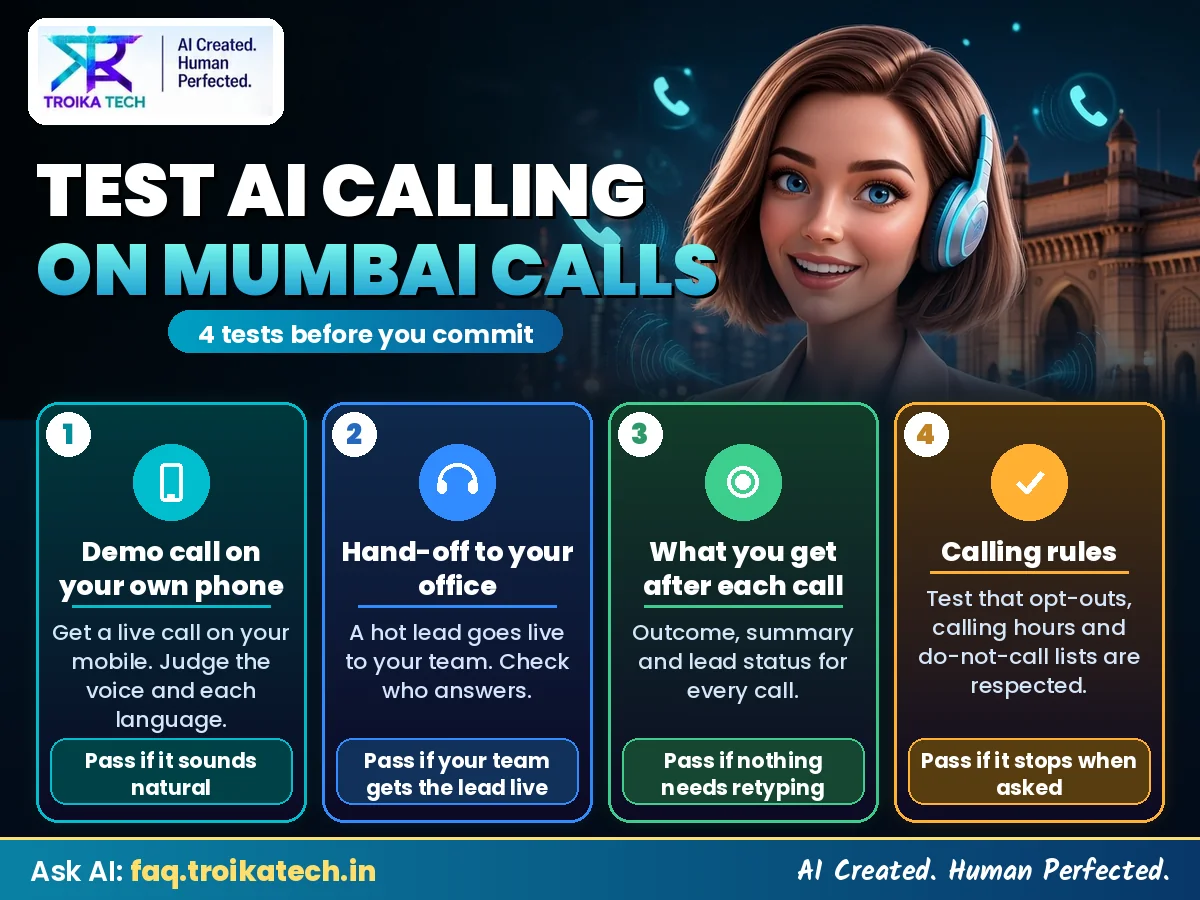
A demo video tells you little. These four tests take an afternoon and show how the software will sound to your customers.

Step 4: Take a demo call on your own phone

Ask for a call with your own script and offer. Interrupt it, ask the price, switch to Marathi or Gujarati, say "call me later". A good AI agent stops, listens and answers instead of reading on.

Step 5: Test the hand-off to your office

When a caller is interested, the call should come through to your team while the customer is still on the line. Check what happens when nobody picks up: a callback should be booked, not the lead lost.

Step 6: Look at what you get after each call

Every call should give you a recording, a transcript, a short summary and an outcome such as interested, callback, not interested or wrong number. Your team should be able to act on it without listening to the whole call.

Step 7: Check the calling rules are built in

Campaign calls should go out only in permitted hours, generally 9 AM to 8 PM, respect DND, and add anyone who says "don't call me" to an opt-out list automatically.

How to test AI calling software on Mumbai calls โ€“ demo on your phone, live transfer, call reports and calling rules
Four tests to run before you choose AI calling software
Want to see the software on a real call first?Chat with Swara about your business, or leave your number and our AI agent calls you for a free demo.
Free tool

Build your AI calling software brief

Answer five questions and get a one-page brief: your first campaign, languages, hand-off and the checks to run. Copy it and use it with any provider.

Your AI calling software brief

Choose your answers above and your brief appears here.

Built in your browser from your answers. Nothing is sent or saved.

Setting it up

Setting up AI calling software in a Mumbai office

Step 8: Clean the first list

Remove duplicates, wrong numbers and anyone who has asked not to be called. Keep to people who enquired or are already your customers: they answer, and they expect the call.

Step 9: Write the script with your best telecaller

Sit with the person who converts best and write down how they actually open, the three to five questions they ask, and how they close. Keep the Hinglish phrases your customers use. The software should sound like your best caller, not a brochure.

Step 10: Decide who takes transfers, and when

Name one person for each calling window and give them a number that is always answered. Saturday is a working day for many Mumbai offices and a site-visit day for builders, so plan it too.

Going live

Your first two weeks

Step 11: Run a one-week pilot with one list and one goal

For example, the last 60 days of enquiries, with one goal: book a visit, a demo class or an appointment. Listen to a handful of recordings every day in the first week and change any line that makes people hesitate.

Step 12: Review the report, then scale

At the end of the week, look at how many people answered, how many were interested and where calls ended. Fix the script, adjust calling times, then add the next list or language.

Mumbai examples

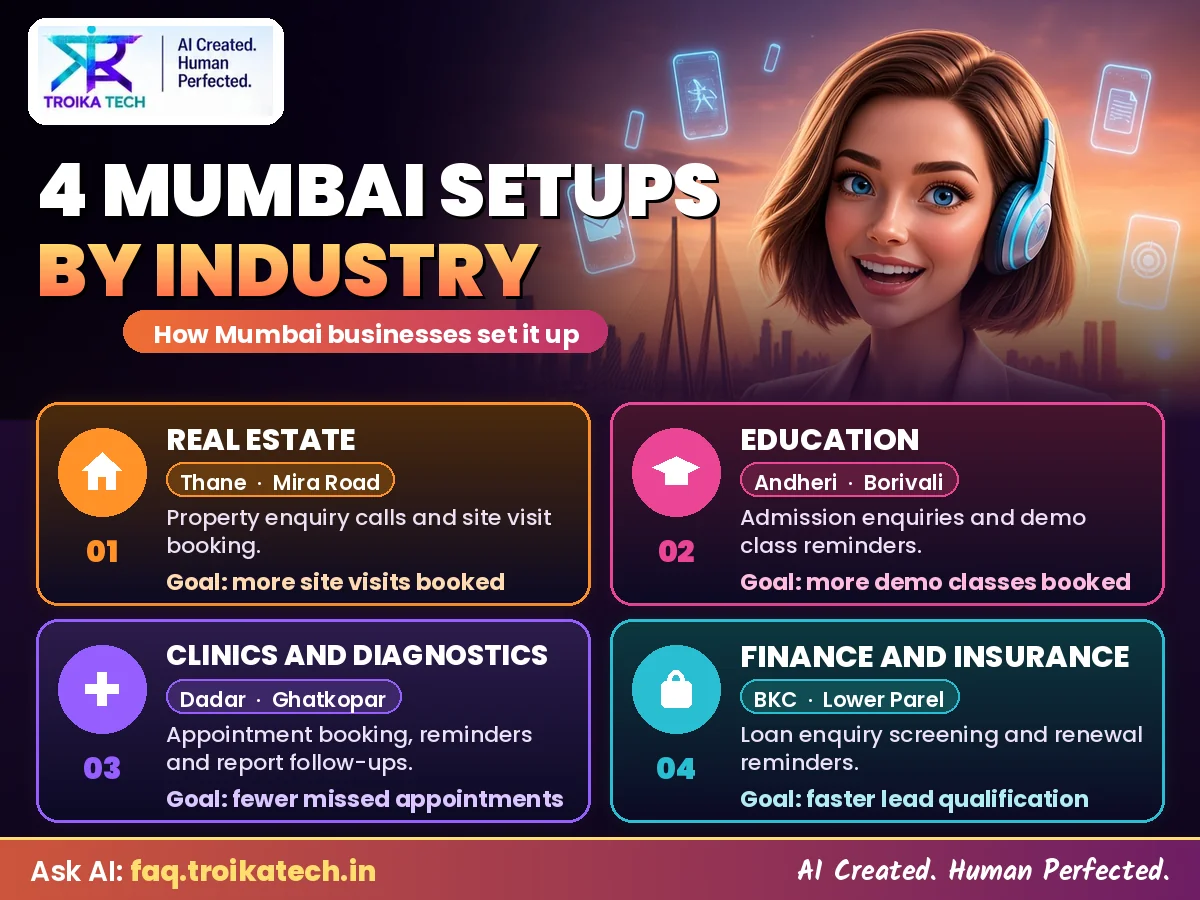
How Mumbai businesses set it up: 4 examples

Example setups, not customer case studies. Each shows a sensible first campaign for that kind of business.

Real estate: a builder in Thane or Mira Road

First campaign: every portal and ad enquiry called within minutes; budget, location and BHK asked; weekend site visits booked.

Languages: Hindi and Marathi, with English for NRI and corporate buyers.

Hand-off: live transfer to the sales manager, Saturday included. AI calling for real estate

Education: a coaching institute in Andheri or Borivali

First campaign: admission enquiries called the same day; class and subjects asked; counselling or a demo class booked.

Languages: Hindi and English with parents, Marathi on request.

Hand-off: interested parents transferred to the counsellor during centre hours. AI calling for education

Clinics and diagnostics: a centre in Dadar or Ghatkopar

First campaign: evening reminder calls for the next day's appointments, with new slots noted for anyone who wants to move.

Languages: Hindi, Marathi and Gujarati, by patient preference.

Hand-off: the front desk gets a list of changes; incoming calls answered by the AI receptionist at any hour. AI calling for healthcare

Finance and insurance: a team in BKC or Lower Parel

First campaign: renewal reminders and new loan or policy enquiries, with the eligibility questions asked first.

Languages: English and Hindi, Gujarati for long-standing customers.

Hand-off: interested customers transferred to an advisor; everyone else gets a callback time. AI calling for insurance and finance

AI calling software setups in Mumbai โ€“ real estate, education, clinics and finance
How four kinds of Mumbai businesses set up their first campaign
Checklist

Your go-live checklist

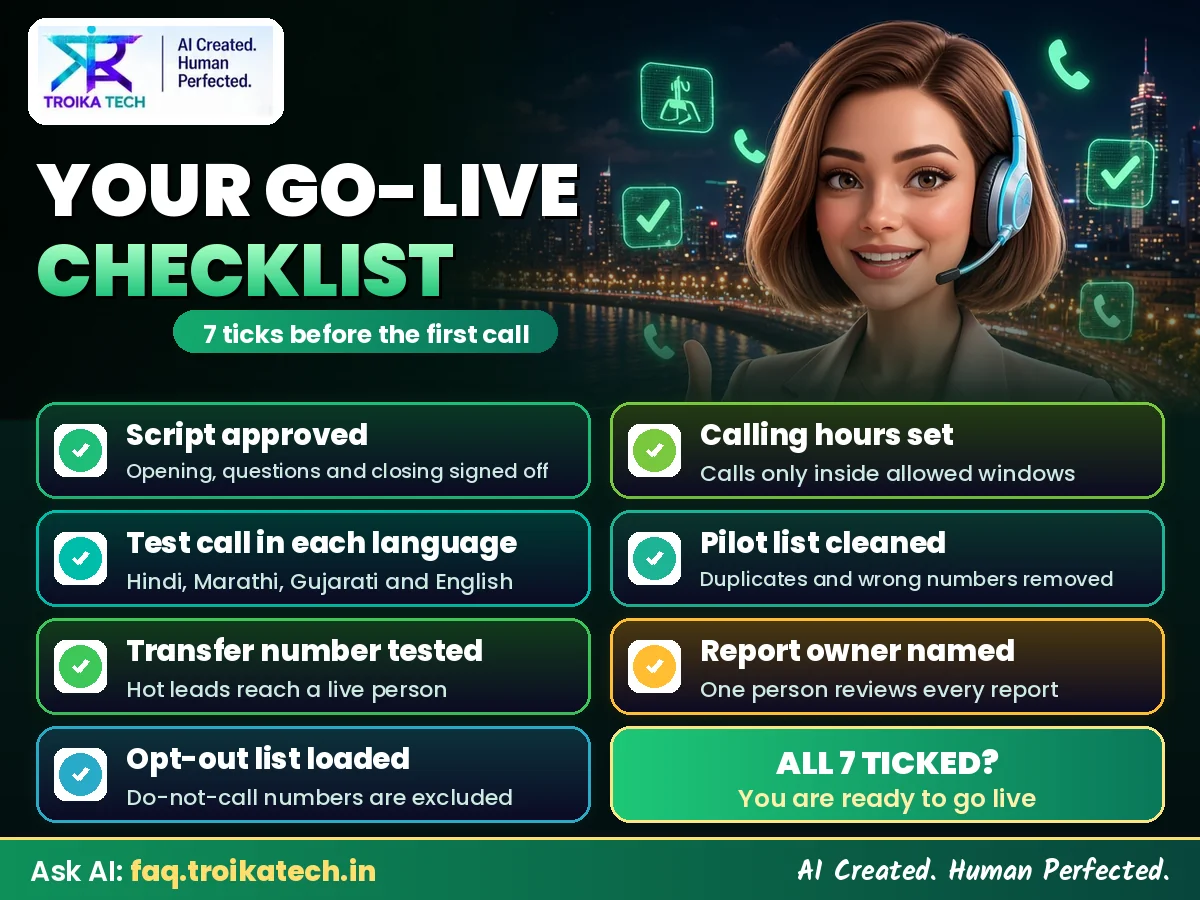
Tick all seven before the first campaign goes out. Most delays at go-live come from one of these.

  • Script approvedRead aloud by you, with your offer and your three to five questions.
  • Test call heard in each languageHindi, Marathi, Gujarati or English: whichever your lists need.
  • Transfer number testedA real person answered a transferred test call.
  • Opt-out list loadedEveryone who asked not to be called is excluded from day one.
  • Calling hours setInside the permitted window, generally 9 AM to 8 PM, and around your team's hours.
  • Pilot list cleanedOne list, one goal, duplicates and wrong numbers removed.
  • Report owner namedOne person reads the daily report and listens to a few calls in week one.
AI calling software go-live checklist for Mumbai businesses
Tick these before your first campaign goes live
Keep reading

More for your AI calling software search

The full software guide

Features to compare, pricing models and languages, for businesses anywhere in India: AI calling software India.

FAQ

AI calling software in Mumbai: common questions

01

Can the software call my customers in Marathi and Gujarati?

Yes. Calls can run in Hindi, English, Marathi, Gujarati, Tamil, Telugu, Kannada, Bengali and Malayalam, and the AI follows a caller who switches language mid-call.

02

Do I need a CRM to use AI calling software?

No. You can upload your lead lists as they are. A CRM connection is possible on request, after a check that it works with your CRM. Troika already connects to Zoho CRM, Salesforce, Google Sheets and Google Forms, and other systems can send leads through our API.

03

Can it transfer interested callers to my Mumbai office?

Yes. Interested callers are transferred live to the number you choose during your hours. If no one picks up, a callback is booked.

04

Can it answer incoming calls as well?

Yes. As an AI receptionist it answers incoming calls at any hour, takes the caller's need and passes it to your team with a summary.

05

Is Troika software I run myself or a managed service?

Managed. Our team sets up the voice, languages and script with you, runs the calls and reviews results with you; you approve the script and see every call and lead.

06

Can I try it before I decide?

Yes. Chat with Swara free, or leave your number in the form below and our AI agent calls you for a demo with your kind of script.

The AI agent calls in English and in eight languages listed in the Eighth Schedule of the Constitution of India: Hindi, Marathi, Gujarati, Tamil, Telugu, Kannada, Bengali and Malayalam.

Try it on your own phone

Get a call from our team within 24 hours

Enter your number and we will set up a live AI demo call for you. Hear the voice, interrupt it, ask it questions, in Hindi or English.

  • No setup needed for the demo
  • Hindi, English & regional languages
  • Takes 2 minutes
Get a call from our AI agent
Chat with our AI

Get a free demo call

Share your number and our team will call you to set up a live AI demo.